
Baidu OCR
INFO
The documentation content may be outdated. Please refer to the official Baidu OCR website for the most up-to-date information.
Pricing
- General Text Recognition (Standard Version)
You can claim free test resources for the required interface at Console - Free Resource Claim Page. Personal authentication: 1,000 times/month, Enterprise authentication: 2,000 times/month.
- General Text Recognition (High Precision Version)
You can claim free test resources for the required interface at Console - Free Resource Claim Page. Personal authentication: 1,000 times/month, Enterprise authentication: 2,000 times/month.
- Pay-as-you-go
After using up the free quota, you can choose pay-as-you-go. For specific pricing, refer to Baidu OCR Pricing Documentation
Application Steps
Step 1: Register and Login
Go to the official website to register and log in
Go to Personal Center for real-name authentication (accounts without real-name authentication will have much lower free quota)
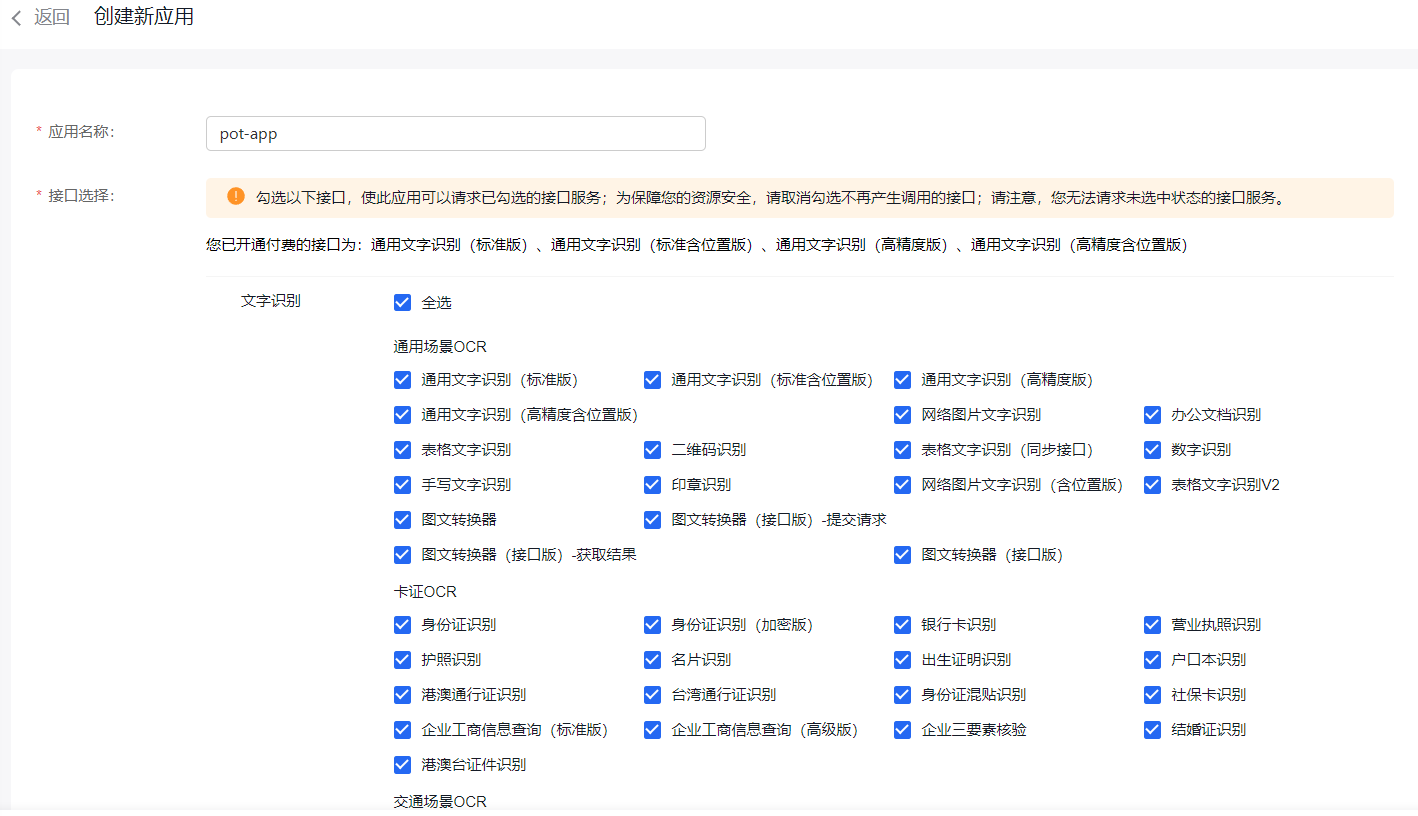
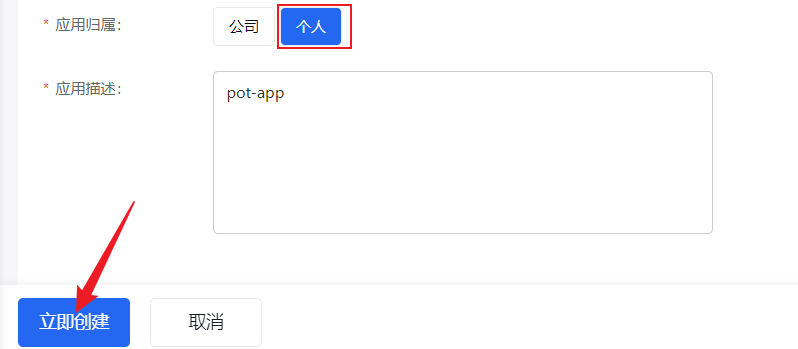
Step 2: Create Application
Go to Console - Text Recognition
Click Create Application
Step 3: Claim Resource Package
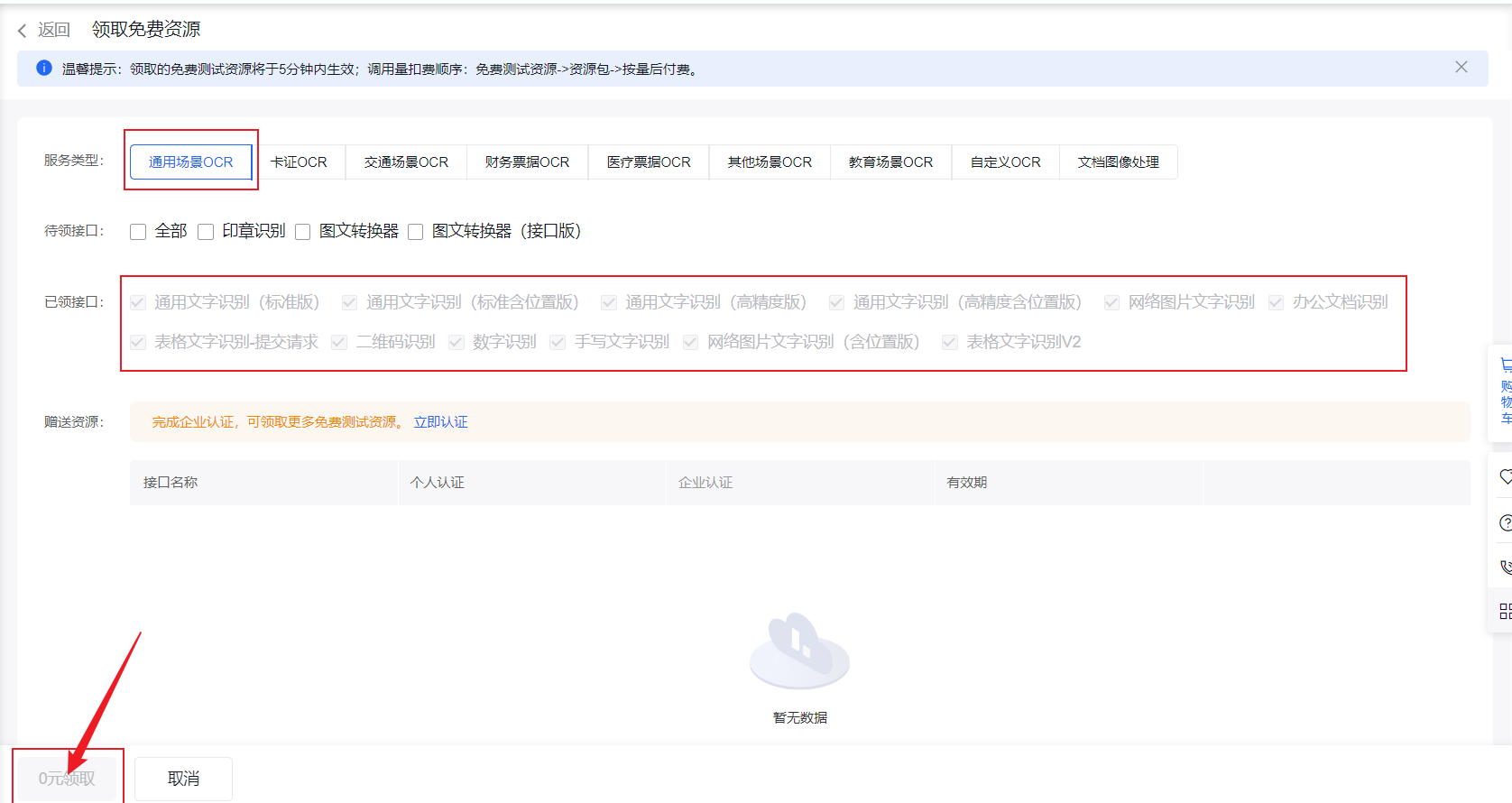
You must claim a resource package to get free quota
Go to Claim Page to claim the required resource package
Step 4: Get Keys
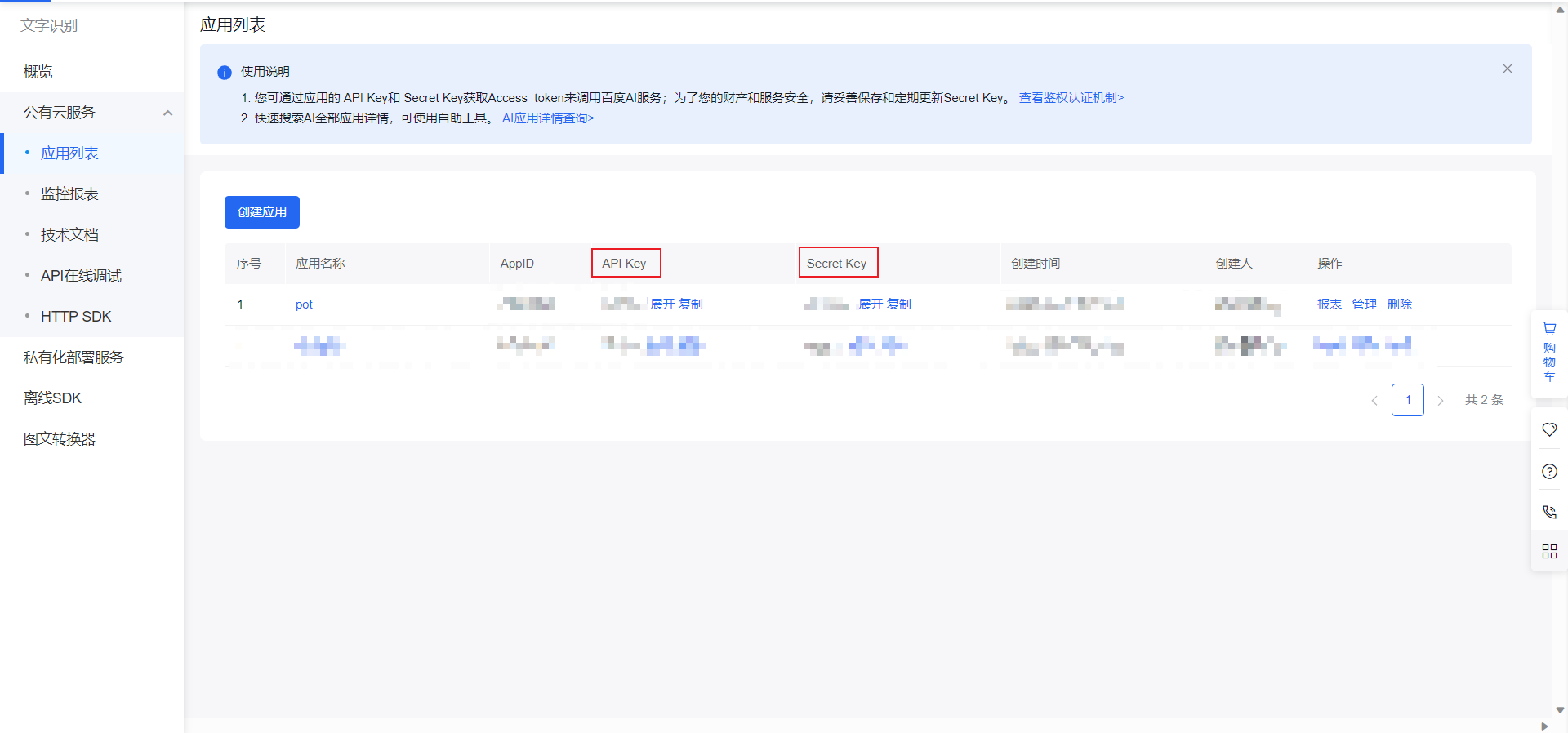
Go to Application List, find the application you just created, and copy the corresponding keys:
Step 5: Fill Keys into Saladict Settings
Fill the copied API Key and Secret Key into the corresponding positions in Saladict's [Settings Page] - [API Settings] - [OCR Interface].